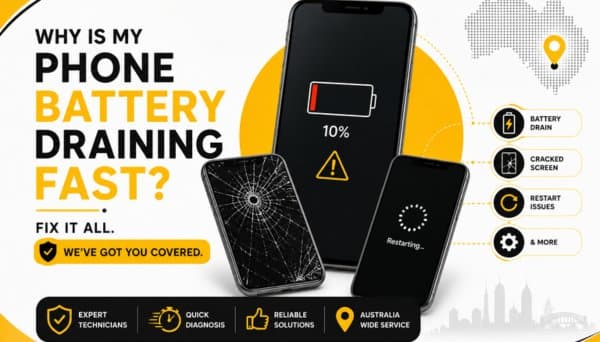
Smartphones are tough little machines, but they aren't indestructible. Heavy daily use takes its toll, and eventually, almost every phone hits a bump in the road. Whether it’s a spiderweb crack across your screen, a battery that dies before lunch, random rebooting, or a phone that refuses to turn on at all, it's easy to wonder: is this even worth fixing, or should I just shell out for a new one?
At PRC Repair, we answer these exact questions for people across Australia every single day. Our technicians deal with hardware and software headaches across iPhones, Samsung Galaxys, Google Pixels, Oppos, Huaweis, and just about every other major brand on the market.
If your phone is giving you trouble, here is a straight-shooting look at what’s actually going on under the hood and what you can do about it.
Can a Cracked Phone Screen Get Worse If I Keep Using It?
Yes, absolutely. Slapping a piece of clear tape over a small crack might get you through the weekend, but ignoring broken glass almost always turns a quick, simple fix into a much pricier repair.
Here is what usually happens when you keep tapping away on a cracked screen:
- The crack spreads: Everyday pressure from typing, swiping, or just slipping the phone into your back pocket causes small hairline fractures to spiderweb across the whole display.
- Moisture and dust leak in: Broken glass ruins the phone's factory seal, giving pocket lint, sweat, and humidity a direct path straight to the delicate internal electronics.
- The touch layer dies: Glass shards gradually slice into the touch digitizer underneath, leading to dead zones or "ghost touching" where the phone starts opening apps and typing texts on its own.
- Display bleeding: The underlying OLED or LCD panel breaks down, causing dark ink-like spots, flickering, or bright vertical green lines across your screen.
- Finger splinters: Fine glass dust and sharp edges can easily slice your thumb while swiping.
Fixing the glass early protects the expensive display panel underneath, saving you serious money in the long run.
Why Does My Phone Battery Drain So Fast After an Update?
It’s a classic scenario: you install the latest software update overnight, and by noon the next day, your battery percentage is sitting in the red.
While it's easy to assume the update broke your phone, rapid battery drain right after an update is surprisingly common—and usually temporary. Here is why it happens:
- Background re-indexing: After a major software overhaul, your phone works double-time behind the scenes to re-organize files, re-index your photo library, and optimize app data.
- Apps catching up: Dozens of background apps automatically download updates to stay compatible with the new system.
- Temporary system bugs: Early versions of new software sometimes have minor glitches that push the processor harder than necessary.
- What to do: Give it two or three days. In most cases, battery life stabilizes once the system finishes indexing. If your phone is still draining like crazy after a week, the software update likely just coincided with a battery that was already physically worn out and due for a checkup.
How Can I Fix a Phone That Keeps Restarting by Itself?
A phone stuck in a reboot loop—turning on, showing the brand logo, shutting down, and repeating—is one of the most frustrating things to deal with because you can't even get into the settings menu to troubleshoot.
The main culprits behind constant restarts include:
- Corrupted system software: A failed software update or a broken app pulling down the operating system.
- Full storage space: When internal memory hits 100% capacity, the system doesn't have enough breathing room (cache memory) to boot up properly.
- A failing or swollen battery: If the battery can't supply a steady voltage, the phone shuts down the second power demand spikes.
- Stuck power button: Dirt, pocket lint, or a dented frame keeping the power switch jammed down inside.
- Logic board shorts or water damage: Corrosion on internal power lines triggering automatic safety shut-offs.
Because reboot loops can stem from either a simple software glitch or a deep hardware short, having a technician run a proper power-draw diagnostic is the fastest way to get to the root of the problem without losing your mind.
What Causes a Phone to Stop Turning On Suddenly?
When a phone goes completely black and ignores every button combination, it’s natural to panic—especially if your photos and files aren't backed up to the cloud. But a totally unresponsive phone doesn't automatically mean it's dead forever.
Common reasons a phone suddenly goes dark:
- A dead or shorted battery: The battery cell has completely dropped voltage and can no longer accept a charge.
- Clogged or damaged charging port: The port pins are broken, bent, or packed tight with lint, preventing power from reaching the battery.
- Shorted capacitor on the motherboard: A tiny component on the main power rail failed, causing the board to shut down to protect itself.
- Power IC failure: The primary power distribution chip was fried by a sudden voltage spike (often caused by cheap car chargers).
- Undetected water damage: Liquid seeped inside days ago, and rust finally severed a critical power line today.
We specialize in hunting down these hidden power faults under high-powered microscopes, replacing the broken micro-components so your phone powers back up smoothly.
Can a Phone Be Repaired Without Losing My Photos and Data?
In the vast majority of cases, yes, absolutely.
Standard hardware repairs—like swapping out a cracked screen, installing a fresh battery, replacing a loose charging port, or fixing a camera—do not touch your phone's internal storage drive. Your photos, text threads, contacts, and app data stay right where you left them.
Even if your phone won't turn on due to a motherboard failure or liquid damage, we perform component-level micro-soldering specifically aimed at getting power back to the board so your data can be safely accessed and backed up.
How Long Should a Smartphone Battery Last Before It Needs Replacing?
Under normal daily use, most lithium-ion smartphone batteries are built to perform efficiently for about 2 to 3 years (or roughly 500 full charge cycles) before their capacity naturally drops below 80%.
Signs your battery is due for a fresh replacement:
- You find yourself hunting for a wall outlet multiple times a day.
- The phone suddenly shuts down when the screen still claims you have 20% or 30% battery left.
- The battery percentage jumps around wildly (e.g., dropping from 50% to 20% in a matter of minutes).
- The back of the phone gets noticeably hot during light browsing or idle time.
- The screen or back cover is lifting away from the frame. This is a clear sign of a swollen battery, which needs professional attention right away.
Swapping out an old, tired battery is an inexpensive fix that immediately restores daily performance and gives your phone a second wind.
Why Choose PRC Repair?
Handing your primary device over to someone else takes a lot of trust. You need to know your personal information stays secure, the replacement parts will actually last, and you won't be hit with surprise charges halfway through.
Here is why people across Australia rely on PRC Repair:
- Real Hardware Skill: We handle everything from basic 30-minute screen swaps to intricate microscopic board repairs right on our own benches.
- Data-First Focus: We prioritize keeping your precious family photos, contacts, and personal files safe throughout the entire repair process.
- Honest Diagnostics: Clear, upfront quotes with zero hidden assessment fees tacked on later.
- High-Quality Parts: We use tested, high-grade replacement components that preserve factory performance and touch responsiveness.
- Fast Turnaround Times: Most standard repairs are finished quickly so you aren't stuck without a phone for days on end.
Final Thoughts
A shattered display, a dying battery, random reboots, or a phone that refuses to turn on doesn't automatically mean you need to go drop hundreds or thousands of dollars on a brand-new handset. Most smartphone issues can be fixed cleanly when placed in the hands of technicians who know what they're doing.
Addressing problems early—especially screen cracks, swollen batteries, or power glitches—prevents further internal damage and extends the life of your device. If your phone isn't working the way it should, bring it into PRC Repair or use our Australia-wide mail-in service. We'll run a complete diagnostic check, explain your options clearly, and get your phone back to working like new again.
Express Phone Repair & Protective Accessories Near Me: Western Sydney & North West Sydney
Looking for fast, walk-in phone repairs or durable device protection near Sydney & Surrounding Suburbs? Phone Repair Centre operates two dedicated Sydney locations: our flagship diagnostic laboratory at 122 Queen Street, St Marys, and our express kiosk at Schofields Village. We combine 30-minute hardware fixes with complimentary bubble-free screen protector application and premium mobile accessories in stock every day.
Express Walk-in Repairs (30 to 45 Mins)
- Screen & OLED Replacement: iPhone, Samsung Galaxy, Google Pixel, and iPad display renewals with True Tone preservation.
- Battery Renewal: High-capacity replacement cells installed same-day with store warranty.
- Charging Port & Audio Fixes: USB-C and Lightning port cleaning, debris removal, or micro-soldering replacement.
- Laser Back Glass Repair: Clean rear glass replacement with factory-tight seal alignment.
- Strict Zero Data Loss: Your photos, banking apps, and personal data stay untouched throughout the repair.
In-Store Protection & Accessories
- Free Screen Protector Fitting: 9H tempered glass, anti-peeping privacy protectors, and hydrogel films applied bubble-free by our technicians.
- Drop-Proof & MagSafe Cases: Shock-absorbent military-grade covers, crystal-clear cases, and magnetic wallet folios for all popular models.
- High-Speed Power & Cables: 20W to 65W Power Delivery (PD) wall adapters, braided USB-C and Lightning cables, and magnetic wireless car mounts.
- Camera Lens Armor: Scratch-resistant sapphire glass lens protectors for multi-lens camera systems.
- Instant PayID Phone Buyback Desk (St Marys): 10-minute Osko PayID bank payout or +$50 AUD PRC Store Credit for unlocked or cracked phones if you prefer to sell or trade in rather than repair.
Drive Times & Proximity Catchment
St Marys Workshop (Western Sydney Hub):
• Penrith: 10 mins via Great Western Highway
• Mount Druitt: 6 mins via Carlisle Avenue
• Blacktown: 15 mins via M4 or Great Western Highway
• St Clair & Erskine Park: 7 mins via Bennett Road
Schofields Express (North West Sydney Hub):
• Rouse Hill & The Ponds: 6 to 8 mins via Schofields Road
• Tallawong & Box Hill: 5 to 9 mins via Boundary Road
• Marsden Park: 8 mins via Richmond Road
• Kellyville & Stanhope Gardens: 10 mins
Quick Answer: Where can I find phone repair, starting-from prices, and exact part tier quotes in Sydney & Surrounding Suburbs?
Phone Repair Centre offers same-day walk-in repairs at 122 Queen Street, St Marys (standalone street-front shop on Queen Street, phone (02) 8678 3298) and express repairs 7 days a week at Schofields Village (Kiosk 1/227 Railway Terrace, phone (02) 7238 1732). Screen repairs start from $85 AUD (iPhone) and $119 AUD (Samsung/iPad), batteries from $79 AUD, PS5 HDMI micro-soldering $169 AUD, and diagnostics $88 upfront (credited if proceeding). Because we stock Tested Quality Aftermarket / Incell, Premium Soft OLED, and OEM / Refurbished display options on our website, chat with Sam 24/7 via Website Live Chat (/instant-quote), WhatsApp (+1 555-955-6234), Facebook Messenger, or Instagram Direct for your exact tier-by-tier quote.


