Smartphones are absolute powerhouses these days, but they aren't indestructible. Heavy daily use, accidental drops, or just aging internal parts can lead to overheating, charging stubbornness, cracked screens, or a battery that dies before lunch. Understanding what’s actually happening inside your device helps you decide whether it needs a quick component swap, deeper diagnostics, or if it's time to move on.
At PRC Repair, we provide professional mobile phone repair services across Australia. Whether you need a charging port fix, a fresh battery, a new screen assembly, or complex chip-level data recovery, our experienced technicians use industry-leading tools to get your device sorted quickly and safely.
Here are the straight-shooting answers to some of the most common repair questions we hear on the bench.
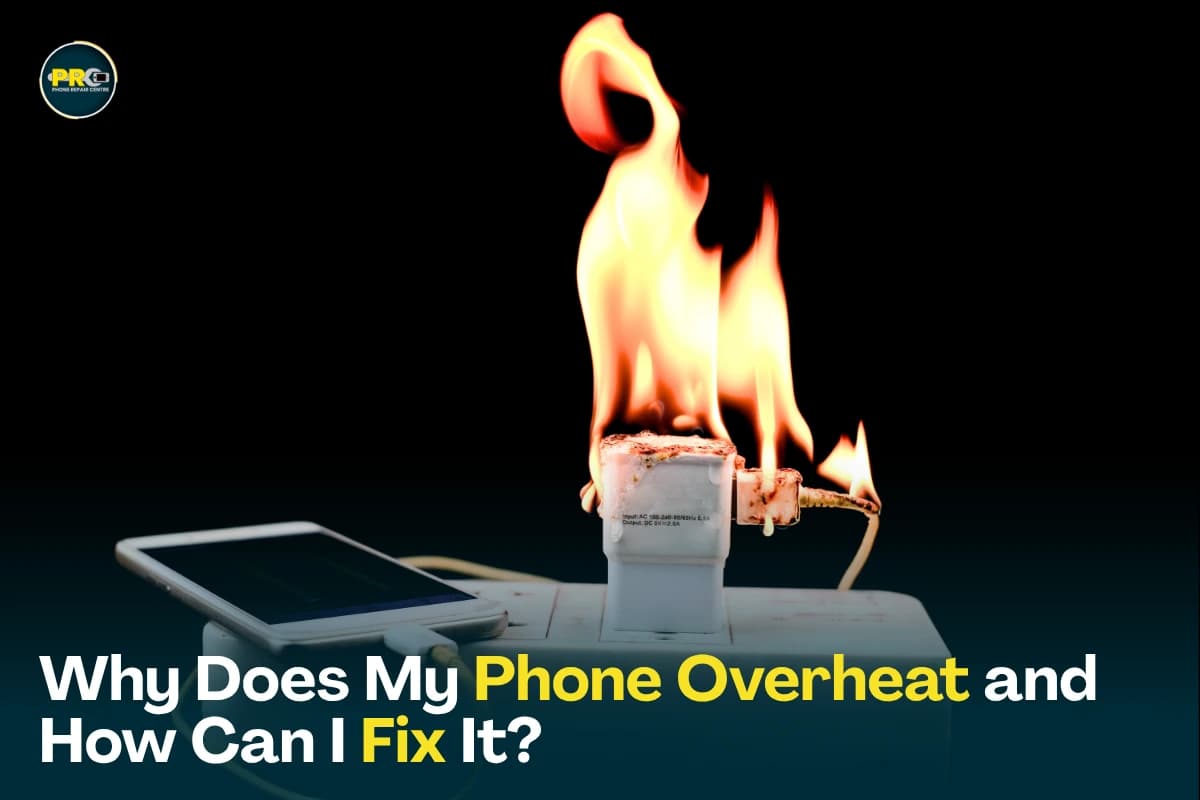
Why Does My Phone Overheat and How Can I Fix It?
It's completely normal for a phone to get slightly warm during heavy mobile gaming, fast charging, or major software updates. But if your phone feels uncomfortably hot to the touch or throws up a temperature warning on screen, there's usually an underlying issue pulling far too much power.
Common causes of phone overheating include:
- Heavy processor demands: Resource-heavy games, GPS navigation, or 4K video recording pushing the chip to its limits.
- Background app hogging: Rogue applications running unchecked in the background.
- A degraded battery: As lithium-ion batteries age, internal resistance increases, creating excess heat during use and charging.
- Software bugs: System glitches causing the CPU to get stuck in a high-power loop.
- Charging while gaming: Passing power through the battery while simultaneously stressing the chip creates a double-dose of heat.
- Direct heat exposure: Leaving the phone on a hot car dashboard or out in the sun.
- Internal liquid damage: Unseen corrosion shorting out power rails on the logic board.
Quick tips to cool it down:
- Close all background apps immediately.
- Pop the protective case off while charging so trapped heat can escape.
- Keep your phone updated to clear out buggy software loops.
- Avoid heavy phone use while plugged into a fast charger.
- Move the phone into the shade or a cooler room.
If your phone overheats during basic tasks like sending a text, it's time for a professional inspection. We thoroughly check internal current draws under a microscope to pinpoint if it's a simple software/battery issue or a short circuit on the motherboard.
Can a Phone with a Broken Charging Port Be Repaired?
Yes, absolutely. In the vast majority of cases, a damaged charging port can be repaired or replaced cleanly without needing to go out and buy a whole new phone.
Tell-tale signs your charging port is failing:
- The phone won't acknowledge the charging cable at all.
- The cable feels loose, wobbly, or falls out easily.
- Charging is painfully slow, even with a high-wattage wall adapter.
- You have to wiggle or hold the cable at a specific angle to get a charge.
- The phone constantly connects and disconnects every few seconds.
- Visible lint, dirt, or bent pins inside the port opening.
Keep in mind: charging issues aren't always the port itself. A worn-out battery or a blown power management IC (chip) on the motherboard can mimic the exact same symptoms. That’s why a proper power diagnostic is key before replacing parts blindly.
At PRC Repair, we offer precision charging port replacements using high-quality components to get your device powering up reliably again.
What Are the Most Common Causes of Phone Screen Damage?
Phone screens are tougher than they used to be, but they are still made of glass and delicate display panels that can break under the right stress.
The most common ways screens get damaged include:
- Accidental drops: Landing flat on concrete, tiles, or sharp gravel.
- Torque and pressure: Bending forces inside tight back pockets or stuffed bags.
- Accidental impacts: Sitting or stepping on the phone while it's hidden under couch cushions or bedding.
- Impact with hard edges: Knocks against metal table edges, keys, or belt buckles.
- Liquid ingress: Water seeping behind the glass and ruining the backlight or OLED layer.
Signs your display needs professional attention:
- Spiderweb glass cracks or flaking glass shards.
- Screen flickering or flashing brightly.
- Dark, ink-like black spots (bleeding pixels) spreading across the view.
- Bright vertical or horizontal lines running through your display.
- Unresponsive touch control or "ghost touching" (where the screen taps things on its own).
We provide professional screen repairs for all major brands, restoring true color depth, smooth touch response, and proper structural protection.
How Do I Know If My Phone Needs a Battery Replacement or a New Device?
Many people assume that a phone dying quickly means the entire device has reached the end of its life. Most of the time, it just means the consumable battery inside has run its course.
Your phone likely just needs a quick battery swap if you notice:
- The battery percentage drains rapidly during light tasks.
- The phone randomly shuts down while still showing 15% or 20% remaining.
- Charging feels abnormally slow or erratic.
- The phone runs noticeably hot while plugged in.
- The screen or back glass is lifting. (A swelling battery is a safety hazard and needs replacing immediately).
- Battery health settings report maximum capacity dropping below 80%.
Replacing the battery is a fraction of the cost of buying a new flagship phone and gives an older device a brand-new lease on life.
However, if your phone also suffers from severe motherboard issues, an outdated operating system no longer supported by apps, and multiple failing hardware modules, upgrading to a new device might make better financial sense. We always evaluate your phone honestly and give you a straight answer on what makes the most economic sense.
Can Data Be Recovered from a Phone with a Broken Screen?
Yes! A shattered display or black screen does not mean your photos, videos, messages, or files are gone.
Your data is stored on an internal flash memory chip attached to the main board, completely separate from the glass screen. Data recovery is usually straightforward if:
- Only the outer display assembly is broken.
- The motherboard underneath is still functioning properly.
- The phone still vibrates, makes notification sounds, or powers on internally.
Even if the phone appears completely dead and shows no signs of life, advanced chip-level repair techniques often allow us to fix the board temporarily, hook up a temporary display, and extract all your files safely.
What Should I Back Up Before Sending My Phone for Repair?
If your screen still works and you can interact with your phone, backing up your personal data before handing it over for any service is always a great habit.
Key items to back up:
- Photos and personal videos (via cloud services or a computer drive)
- Contacts, call logs, and text message history
- Important documents, voice notes, and saved files
- App data and chat histories (like WhatsApp or Signal backups)
- Calendar schedules and saved notes
- Saved passwords and 2FA recovery codes
Before dropping off or mailing in your device:
- Remove your physical SIM card and any external microSD storage cards.
- Take off protective cases or magnetic accessories.
- Write down your lock screen passcode if the technician needs it to test hardware functions (like cameras, speakers, and touch sensitivity) post-repair.
If your phone is completely unresponsive and you can't back it up yourself, don't panic. Our technicians handle every device with strict privacy procedures designed to protect your data throughout the repair.
Why Choose PRC Repair?
Handing your phone over to a repair shop requires trust. You want to know your personal photos remain private, the job is done right the first time, and you're getting genuine value for money.
When you bring your device to PRC Repair, you get:
- Real Hardware Expertise: Technicians skilled in basic repairs as well as microscopic motherboard soldering.
- All Major Brands Covered: Expertise across iPhone, Samsung, Google Pixel, Oppo, Huawei, and more.
- Advanced Diagnostics: Finding the actual root cause instead of just guessing and swapping random parts.
- Data-First Focus: Procedures designed specifically to safeguard your stored data whenever possible.
- High-Quality Components: Premium replacement parts tested for reliability and long-term performance.
- Transparent Pricing: Upfront quotes with zero hidden fees attached later.
- Fast Turnarounds: Getting your daily driver back into your hands as quickly as possible.
Final Thoughts
A hot phone, a loose charging port, a cracked screen, or a dying battery doesn't mean you're forced to buy a costly new phone. Most common smartphone issues can be diagnosed and fixed cleanly by experienced hands.
Addressing hardware issues early prevents minor annoyances from turning into major failures down the road. If your smartphone isn't performing the way it should, get in touch with PRC Repair or use our mail-in service across Australia. We’ll run a comprehensive check, explain your options in plain language, and get your phone running like new again.
Express Phone Repair & Protective Accessories Near Me: Western Sydney & North West Sydney
Looking for fast, walk-in phone repairs or durable device protection near Sydney & Surrounding Suburbs? Phone Repair Centre operates two dedicated Sydney locations: our flagship diagnostic laboratory at 122 Queen Street, St Marys, and our express kiosk at Schofields Village. We combine 30-minute hardware fixes with complimentary bubble-free screen protector application and premium mobile accessories in stock every day.
Express Walk-in Repairs (30 to 45 Mins)
- Screen & OLED Replacement: iPhone, Samsung Galaxy, Google Pixel, and iPad display renewals with True Tone preservation.
- Battery Renewal: High-capacity replacement cells installed same-day with store warranty.
- Charging Port & Audio Fixes: USB-C and Lightning port cleaning, debris removal, or micro-soldering replacement.
- Laser Back Glass Repair: Clean rear glass replacement with factory-tight seal alignment.
- Strict Zero Data Loss: Your photos, banking apps, and personal data stay untouched throughout the repair.
In-Store Protection & Accessories
- Free Screen Protector Fitting: 9H tempered glass, anti-peeping privacy protectors, and hydrogel films applied bubble-free by our technicians.
- Drop-Proof & MagSafe Cases: Shock-absorbent military-grade covers, crystal-clear cases, and magnetic wallet folios for all popular models.
- High-Speed Power & Cables: 20W to 65W Power Delivery (PD) wall adapters, braided USB-C and Lightning cables, and magnetic wireless car mounts.
- Camera Lens Armor: Scratch-resistant sapphire glass lens protectors for multi-lens camera systems.
- Instant PayID Phone Buyback Desk (St Marys): 10-minute Osko PayID bank payout or +$50 AUD PRC Store Credit for unlocked or cracked phones if you prefer to sell or trade in rather than repair.
Drive Times & Proximity Catchment
St Marys Workshop (Western Sydney Hub):
• Penrith: 10 mins via Great Western Highway
• Mount Druitt: 6 mins via Carlisle Avenue
• Blacktown: 15 mins via M4 or Great Western Highway
• St Clair & Erskine Park: 7 mins via Bennett Road
Schofields Express (North West Sydney Hub):
• Rouse Hill & The Ponds: 6 to 8 mins via Schofields Road
• Tallawong & Box Hill: 5 to 9 mins via Boundary Road
• Marsden Park: 8 mins via Richmond Road
• Kellyville & Stanhope Gardens: 10 mins
Quick Answer: Where can I find phone repair, starting-from prices, and exact part tier quotes in Sydney & Surrounding Suburbs?
Phone Repair Centre offers same-day walk-in repairs at 122 Queen Street, St Marys (standalone street-front shop on Queen Street, phone (02) 8678 3298) and express repairs 7 days a week at Schofields Village (Kiosk 1/227 Railway Terrace, phone (02) 7238 1732). Screen repairs start from $85 AUD (iPhone) and $119 AUD (Samsung/iPad), batteries from $79 AUD, PS5 HDMI micro-soldering $169 AUD, and diagnostics $88 upfront (credited if proceeding). Because we stock Tested Quality Aftermarket / Incell, Premium Soft OLED, and OEM / Refurbished display options on our website, chat with Sam 24/7 via Website Live Chat (/instant-quote), WhatsApp (+1 555-955-6234), Facebook Messenger, or Instagram Direct for your exact tier-by-tier quote.


