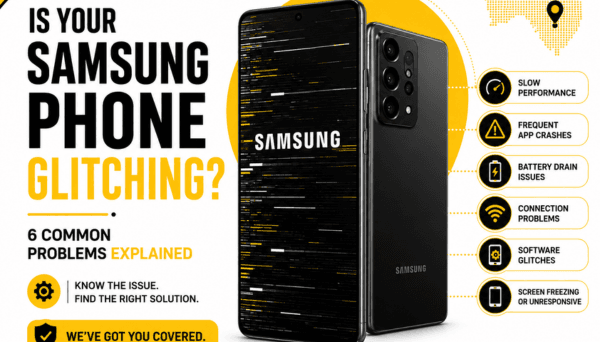
Samsung Galaxy devices are built with serious engineering, but like any complex piece of technology, they aren't immune to daily wear, software hiccups, or the physical realities of an accidental drop. The initial reaction is often annoyance—followed quickly by the dread that you're about to be forced into buying a brand-new phone.
Explore Samsung Repair Services
The good news? Most common Samsung glitches and hardware failures don't mean your device is trash. Many are completely repairable once you pinpoint what’s actually happening underneath the glass.
Before you start pricing replacement phones, let's break down six common Samsung problems, what’s going on behind the scenes, what you can safely check yourself, and when it’s time to let a professional step in.
Why is my Samsung phone overheating when I'm not using it?

It’s completely normal for a phone to warm up while you’re powering through a graphic-heavy game, recording 4K video, or fast-charging on a warm day. What isn't normal is pulling your phone out of your pocket or off a nightstand and feeling it radiating heat when it should be sleeping.
When a device heats up at idle, your processor or battery is working overtime behind the scenes. This is usually triggered by runaway background apps, a corrupted software loop, poor cellular reception (forcing the antenna to pump maximum power to hold onto a weak tower), or a chemically degraded battery that's struggling to manage electrical resistance.
What can you check?
Check your background activity: Open Settings > Battery and device care > Battery to see what's consuming power. If an app you haven't opened all day is at the top of the energy list, force stop it or restrict its background privileges.
Scan for rogue apps: Put the phone into Safe Mode for a few hours. If the phone cools down, a third-party app you recently downloaded is almost certainly the culprit.
Check for pending updates: System bugs can cause CPU "runaway" states. Ensure One UI and your apps are fully updated to patch known software leaks.
If your Samsung stays uncomfortably warm even after a fresh restart and software cleanup, the issue might be hardware-based. Prolonged heat can degrade your battery quickly and stress sensitive chips on the logic board, making a physical diagnostic assessment crucial.
Why does my Samsung phone keep restarting by itself?
Few things are more frustrating than working on your phone only for the screen to go black and show the startup logo out of nowhere. If your device is caught in a loop where it reboots every few minutes—or shuts off unpredictably mid-task—it’s throwing a clear sign of instability.
This behavior usually traces back to one of two areas: system software struggling with corrupted cached files, or physical hardware failing to maintain a stable power draw.
Try these basic checks first:
Clear the system cache partition: Turn off the phone, connect it to a computer via USB cable, then hold Volume Up + Power to enter Recovery Mode. Select Wipe Cache Partition (this won't delete your personal data) and restart.
Free up internal storage: If your storage is packed to 99% capacity, One UI lacks the temporary workspace it needs to run, causing system crashes. Clear out cached downloads and large media files.
Remove recent apps: If the rebooting started right after installing a specific app or custom launcher, uninstall it immediately.
If the reboots persist—or if they seem triggered whenever you tap the phone or set it down firmly on a table—the issue is likely hardware. A loose battery connector, a degraded power cell incapable of delivering peak voltage, or a failing soldered component on the motherboard can all cause power cuts.
Why is my Samsung phone screen flickering or showing green lines?
Seeing a razor-thin, bright green or pink vertical line cut through your display is a heart-dropping moment. It often appears overnight, sometimes right after a system update or after a minor drop that didn’t even crack the outer glass.
Samsung’s AMOLED displays are famous for their vibrant colors, but the delicate ribbon cables and organic layers inside them are sensitive. These lines or flickering screens are almost always hardware-related, caused by display driver damage, a pinched flex cable connector, or subtle structural pressure on the panel itself.
Steps to take:
Test in a dark room: Lower your brightness to minimum and raise it to maximum to see if the flickering is tied to display brightness control (PWM dimming bugs can occasionally look like hardware flickers).
Perform a forced restart: Press and hold Volume Down + Power for 10 seconds to force a cold reboot. If the green line remains visible on the boot logo screen, it is 100% a physical hardware fault, not a software bug.
Check for hidden frame damage: Look closely at the metal corners of your phone. Even if the front glass is pristine, a tiny dent in the frame near the display edge can pinch the internal display layers underneath.
Software rarely fixes a physical green line or screen flicker. Continuing to press hard on a damaged panel can cause the display to fail completely (turning totally black), so securing a screen replacement early is the best way to get your display back to normal.
Why is my Samsung phone stuck on the Samsung logo?
When your phone powers on, lights up the screen, but hangs indefinitely on the glowing Samsung logo, it’s trapped in what technicians call a "boot loop." Your device is trying to load its operating system, hitting a figurative brick wall, and failing to reach the home screen.
This happens most frequently when an over-the-air update is interrupted mid-install, when system partition files become corrupted, or when the motherboard experiences a sudden power drop during startup.
What you can attempt:
Force a hard reset: Hold down the Volume Down + Power keys simultaneously for about 10–15 seconds until the screen cuts to black, forcing the power cycle to restart.
Attempt Recovery Mode: Boot into the Android Recovery menu (connecting to a PC via cable, then holding Volume Up + Power). From here, try clearing the system cache.
If the phone refuses to boot past the logo after a cache wipe, avoid repeatedly forcing power cycles. If the root cause stems from a drop, liquid exposure, or a failing storage chip (eMMC/UFS memory), forcing it to try booting continuously can generate excessive heat and complicate data recovery efforts. A professional technician can assess whether the OS can be restored or if internal hardware needs attention.
Why is my Samsung phone losing signal or showing no service?
You look down at your status bar and see "No Service," "Emergency Calls Only," or a circle with a slash through it—right in a place where you normally have full 5G bars.
Mobile signal loss can be as simple as a localized carrier outage, but if other devices around you have strong service and yours doesn't, the hardware inside your phone may be struggling to communicate with the network.
Try these basic checks first:
Toggle Airplane Mode: Turn Airplane Mode on for 10 seconds, then turn it off. This forces the baseband modem inside your phone to re-register with the nearest cell tower.
Reseat the SIM card: Turn the phone off, pop the SIM tray out, inspect the gold contacts on the card for dirt or scratches, wipe it gently with a soft cloth, and reinsert it firmly.
Reset Network Settings: Go to Settings > General Management > Reset > Reset Network Settings. This clears saved Wi-Fi networks, Bluetooth pairings, and cellular configuration files that might have become corrupted.
If your phone still loses network connection intermittently—especially after a drop or an impact—the internal coaxial antenna cables or the baseband IC chip on the logic board may have dislodged or suffered damage.
Why is my Samsung phone camera blurry all of a sudden?
You open your camera app to snap a quick photo, but the image remains a soft, out-of-focus blur. Tapping on the screen to manually focus does nothing, or you might even hear a faint, high-pitched buzzing or clicking sound coming from near the top camera bump.
Modern Samsung camera modules use physical, floating optical image stabilization (OIS) mechanisms and tiny voice-coil motors to adjust lenses in milliseconds. If those delicate mechanical tracks take a sharp hit, the focus assembly can jam.
Quick steps to try:
Clean the physical glass: It sounds simple, but skin oils and smudges on the camera glass scatter light severely. Give it a thorough wipe with a clean microfiber cloth.
Check for case interference: Remove bulky third-party protective cases or metallic lens protector rings that might be blocking the laser autofocus sensor located next to the main cameras.
Clear camera app cache: Go to Settings > Apps > Camera > Storage > Clear Cache, then restart the phone.
The gentle tap test: If the camera is clicking or stuck in macro focus due to a jammed OIS track, a very gentle tap against the palm of your hand can sometimes unstick the lens temporarily.
If the blur persists, or if the camera lens makes noise whenever the app opens, the physical camera module has likely suffered mechanical failure from an impact or vibration. Replacing the internal camera module directly restores crisp, instant autofocus without affecting your saved photos.
Samsung Phone Repair Services from PRC Repair
When basic home fixes don't get your device back on track, guessing what's wrong can lead to wasted time and unnecessary part swaps. A screen issue could actually be a display connector problem; a charging fault could be a failed power management chip rather than a bad port.
At PRC Repair, the focus is on accurate diagnostics and practical, long-term repair solutions for Samsung Galaxy users across Australia. Whether your device needs a display panel replacement, a fresh high-capacity battery, a new camera module, or specialized board-level repair after liquid exposure, the goal is always to restore your current phone safely without pushing you into an expensive, unneeded upgrade.
Get Professional Samsung Repair
Having technicians who understand Samsung’s internal layouts means delicate components—like under-display fingerprint sensors, wireless charging coils, and water-resistance seals—are handled with care.
Why Choose PRC Repair?
Finding the right repair provider isn't just about replacing a broken piece of glass—it’s about understanding how all the internal systems work together. Modern smartphones host complex, tightly packed motherboards where one minor short can mimic completely unrelated symptoms.
PRC Repair offers a professional, straightforward approach to Samsung device maintenance. The aim is to find the true root cause of your phone's behavior, explain what's going on clearly, and recommend a logical repair path that saves you money and preserves your valuable data.
Whether your Galaxy phone is overheating, stuck in a boot loop, showing green screen lines, dropping its cellular network, or failing to focus its camera, proper diagnostic testing ensures you know your options before making any decisions.
When Should You Get Your Samsung Phone Professionally Checked?
While software tweaks and simple cache wipes can fix minor glitches, opening a sealed glass-and-metal Samsung phone without specialized heating pads, suction tools, and precision screwdrivers often leads to damaged flex cables or cracked back glass.
Book Samsung Repair with PRC Repair
It's time to seek a professional evaluation if:
- The phone generates high heat during simple tasks like texting or sitting idle.
- It repeatedly restarts, shuts off randomly, or stays frozen on the boot logo.
- Green lines, dark ink-like spots, or persistent flickers show on the display.
- You consistently lose mobile signal in areas where coverage is normally strong.
- The camera refuses to focus or makes mechanical buzzing sounds when opened.
- The issue began right after a drop onto a hard surface or exposure to liquid.
- The back glass is beginning to lift away from the frame (a classic sign of a swollen, dangerous battery).
Addressing minor hardware symptoms early stops small, simple component faults from turning into larger motherboard issues down the line.
Final Thoughts
A malfunctioning Samsung Galaxy phone is certainly a headache, but it rarely means you're forced to buy a new device. Batteries lose capacity, camera OIS motors wear out, screens take hard impacts, and software occasionally stumbles—these are normal realities over the life of modern portable electronics.
By taking time to understand what your phone's symptoms are telling you and getting a clear, honest diagnostic assessment from PRC Repair, you can keep your data safe, avoid unnecessary retail costs, and keep your Samsung performing like it should for years to come.
Get Samsung Repair from PRC Repair
Express Phone Repair & Protective Accessories Near Me: Western Sydney & North West Sydney
Looking for fast, walk-in phone repairs or durable device protection near Sydney & Surrounding Suburbs? Phone Repair Centre operates two dedicated Sydney locations: our flagship diagnostic laboratory at 122 Queen Street, St Marys, and our express kiosk at Schofields Village. We combine 30-minute hardware fixes with complimentary bubble-free screen protector application and premium mobile accessories in stock every day.
Express Walk-in Repairs (30 to 45 Mins)
- Screen & OLED Replacement: iPhone, Samsung Galaxy, Google Pixel, and iPad display renewals with True Tone preservation.
- Battery Renewal: High-capacity replacement cells installed same-day with store warranty.
- Charging Port & Audio Fixes: USB-C and Lightning port cleaning, debris removal, or micro-soldering replacement.
- Laser Back Glass Repair: Clean rear glass replacement with factory-tight seal alignment.
- Strict Zero Data Loss: Your photos, banking apps, and personal data stay untouched throughout the repair.
In-Store Protection & Accessories
- Free Screen Protector Fitting: 9H tempered glass, anti-peeping privacy protectors, and hydrogel films applied bubble-free by our technicians.
- Drop-Proof & MagSafe Cases: Shock-absorbent military-grade covers, crystal-clear cases, and magnetic wallet folios for all popular models.
- High-Speed Power & Cables: 20W to 65W Power Delivery (PD) wall adapters, braided USB-C and Lightning cables, and magnetic wireless car mounts.
- Camera Lens Armor: Scratch-resistant sapphire glass lens protectors for multi-lens camera systems.
- Instant PayID Phone Buyback Desk (St Marys): 10-minute Osko PayID bank payout or +$50 AUD PRC Store Credit for unlocked or cracked phones if you prefer to sell or trade in rather than repair.
Drive Times & Proximity Catchment
St Marys Workshop (Western Sydney Hub):
• Penrith: 10 mins via Great Western Highway
• Mount Druitt: 6 mins via Carlisle Avenue
• Blacktown: 15 mins via M4 or Great Western Highway
• St Clair & Erskine Park: 7 mins via Bennett Road
Schofields Express (North West Sydney Hub):
• Rouse Hill & The Ponds: 6 to 8 mins via Schofields Road
• Tallawong & Box Hill: 5 to 9 mins via Boundary Road
• Marsden Park: 8 mins via Richmond Road
• Kellyville & Stanhope Gardens: 10 mins
Quick Answer: Where can I find phone repair, starting-from prices, and exact part tier quotes in Sydney & Surrounding Suburbs?
Phone Repair Centre offers same-day walk-in repairs at 122 Queen Street, St Marys (standalone street-front shop on Queen Street, phone (02) 8678 3298) and express repairs 7 days a week at Schofields Village (Kiosk 1/227 Railway Terrace, phone (02) 7238 1732). Screen repairs start from $85 AUD (iPhone) and $119 AUD (Samsung/iPad), batteries from $79 AUD, PS5 HDMI micro-soldering $169 AUD, and diagnostics $88 upfront (credited if proceeding). Because we stock Tested Quality Aftermarket / Incell, Premium Soft OLED, and OEM / Refurbished display options on our website, chat with Sam 24/7 via Website Live Chat (/instant-quote), WhatsApp (+1 555-955-6234), Facebook Messenger, or Instagram Direct for your exact tier-by-tier quote.


