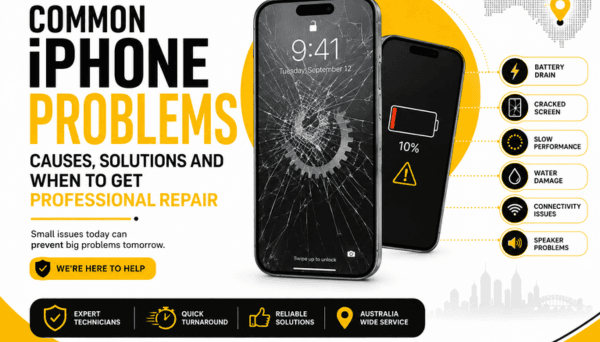
iPhones are engineered remarkably well, but they aren't bulletproof. Daily wear, unexpected drops on concrete, or a stray splash of water can turn a smooth experience into a daily headache. The instinct is often to panic or assume it’s time to spend a small fortune on a brand-new phone. But in reality, most common iPhone headaches stem from specific, fixable component issues.
Explore iPhone Repair Services
Before you consider an upgrade you don't actually need, let’s run through six frequent iPhone issues, what’s happening behind the glass, what you can safely try at home, and when to let a technician take over.
Why is my iPhone battery draining so fast?
A fast-draining battery rarely happens without warning, but when it starts, it alters how you use your day. You find yourself scanning every room for wall outlets or carrying a bulky power bank everywhere.
While lithium-ion batteries naturally degrade over time—usually dropping noticeable efficiency after two or three years of regular charge cycles—software demands play a massive role too. Bright displays, constant background location tracking, background app refreshes, and patchy cellular service (which forces the phone’s antenna to draw maximum power trying to hold a signal) can drain a perfectly healthy battery in hours.
What can you check?
Review your power hogs: Head to Settings > Battery. Scroll down to see the breakdown of which apps are eating your power. If a social media app you used for ten minutes spent three hours running in the background, shut down its background permissions.
Check your Battery Health: Tap Battery Health & Charging. If your Maximum Capacity has dipped below 80%, or if you see a service message warning about peak performance degradation, the chemical age of the battery is the culprit.
If lowering screen brightness and tweaking settings still leaves you scrambling for a charger by mid-afternoon, the cell itself is likely exhausted. Swapping out a worn battery for a fresh one is one of the most cost-effective ways to make an older iPhone feel brand-new again.
How to fix an iPhone that won't turn on
Facing a completely black, unresponsive screen is an unsettling feeling. Your photos, contacts, and daily schedules are locked behind a slab of glass that suddenly won't acknowledge you exist.
The cause can range from a "deep discharge" (where the battery drops so low the charging indicator can't even boot up) to a crashed operating system, a faulty power button, or an internal board issue caused by a recent drop.
What to try first:
The Long Charge: Plug your iPhone into an official or certified wall charger. Leave it alone for at least 30 to 45 minutes. Don't press buttons every ten seconds—give it time to build a base charge.
Force Restart: If nothing appears, force restart the system. On modern iPhones (iPhone 8 and newer), press and quickly release Volume Up, press and quickly release Volume Down, then hold the Side power button until you see the Apple logo appear.
If the phone remains pitch black or gets stuck in an infinite boot loop (cycling the Apple logo repeatedly), stop forcing it. Repeated hard resets on a failing component can complicate recovery. At this point, a professional can test whether the issue lies in the battery connection, the display assembly, or the logic board's power management hardware.
Why is my iPhone not charging?
You plug your cable in, walk away, and come back an hour later to find your battery percentage hasn't moved a single point.
When an iPhone refuses to charge—or charges intermittently only when the cable is angled a certain way—it’s easy to blame the internal battery. In reality, the culprit is usually much simpler. The lightning port (or USB-C port on newer models) spends its life sitting inside pockets, purses, and backpacks, acting as a tiny magnet for lint, dust, and compacted debris.
Try these basic checks first:
The Cable & Adapter Swap: Wall blocks and charging cables wear out quickly, especially near the flex points. Test your setup with a known working cable and outlet.
Inspect the Port: Look inside the port under a bright light. If you see grey fuzz or dirt compressed at the back, it prevents the cable pins from making clean contact.
Try Wireless: If your iPhone supports Qi or MagSafe charging, set it on a wireless pad. If it charges wirelessly but not via cable, your battery is fine—the problem is isolated strictly to the physical port or its flex cable.
A quick word of warning: Avoid using metal pins, paperclips, or aggressive scrapers to dig lint out of the charging port. The delicate contact pins inside bend easily, and shorting them out turns a simple cleaning job into a full port replacement.
What to do if your iPhone screen is cracked?
We’ve all experienced that slow-motion moment: the phone slips from your hand, hits the pavement, and you pick it up praying the glass is fine.
A cracked screen is rarely just an aesthetic issue. Beyond the risk of micro-glass splinters in your thumbs, broken glass compromises the structural integrity of the display. Over time, ambient humidity and dust seep into the cracks, eventually causing internal display bleeding (black ink-like spots), bright colored vertical lines, or ghost-touch issues where the phone types by itself.
Immediate steps:
Protect your fingers: If the glass is spiderwebbed heavily, apply a clear piece of packing tape over the entire front to keep fragments in place and prevent injury.
Backup immediately: If the touch layer still works, back up your iPhone to iCloud or a computer right away. Touch sensitivity can disappear unexpectedly as a damaged display degrades further.
Even if the phone seems usable despite a hairline crack, simple pressure inside a pocket can turn a minor surface fracture into a completely dark screen. Replacing the display assembly early protects the delicate sensors underneath, including the Face ID array and front camera.
How much does iPhone screen repair cost in Australia?
Because iPhone designs vary significantly across generations, screen repair costs in Australia aren't standard across the board. Fixing a traditional LCD display on an older model is a completely different process than replacing a flexible Super Retina XDR OLED panel on a late-model device.
Several factors dictate the final cost:
- Your specific iPhone model: Newer, high-refresh-rate panels cost more to manufacture.
- The depth of the damage: Is it just the top glass layer, or is the underlying OLED display showing black spots and lines?
- Display technology: Standard screens versus high-tier OLED assemblies.
- Associated hardware: Damage near the top bezel may require delicate transfer or repair of speaker and sensor components.
Rather than writing a phone off as a total loss based on internet guesswork, getting a physical diagnostic assessment gives you a clear, transparent figure. In the vast majority of cases, replacing the screen costs a fraction of buying a new phone.
How to fix an iPhone that has water damage?
Whether it's a tumble into the sink, an unexpected rainstorm, or a slip into the ocean, liquid exposure demands immediate, deliberate action.
Modern iPhones feature water-resistance seals, but these seals weaken over time due to normal wear, minor drops, and heat exposure. Once liquid makes its way past the adhesive barrier, it begins corroding delicate circuitry, shorting capacitors, and damaging internal contacts.
Critical rules for liquid exposure:
- Power down immediately: If the phone is still on, turn it off right away. Electric current running through wet components accelerates corrosion and short-circuits.
- Skip the rice myth: Burying your phone in a bowl of dry rice does little to draw moisture out from sealed internal chambers, and it introduces fine starch dust into your ports.
- Avoid direct heat: Hairdryers and heat guns can melt internal seals, warp the display, and push moisture deeper into the logic board components.
- Drying out: Wipe the outside clean, remove the SIM tray to allow an air vent, and let the phone sit in a dry, ventilated room.
The trickiest part of water damage is that a phone might seem fine for a day or two before corrosion sets in and causes erratic behavior. Having the device opened, cleaned with specialized solutions, and thoroughly dried by a professional gives it the best possible chance of long-term survival.
Why Choose PRC Repair for iPhone Repair?
Diagnosing hardware problems isn't about guessing or throwing random parts at a device—it's about understanding how each system interacts. A charging issue might look like a bad battery, but could actually trace back to a damaged power management chip on the motherboard.
At PRC Repair, the focus is on straightforward diagnostics and practical solutions for iPhone owners across Australia. Whether your device needs a simple screen swap, a fresh battery, a clean charging port, or microscopic board-level attention after a liquid spill, the goal remains the same: restore your existing device reliably without pushing for unnecessary full-device replacements.
Get Professional iPhone Repair
Having experienced technicians handle your hardware ensures that sensitive features—like ambient light sensors, cameras, and structural housing—are handled safely and reassembled correctly.
When should you get professional iPhone repair?
If basic home troubleshooting doesn't clear up the issue, opening the device without specialized tools and experience often leads to torn flex cables or stripped internal screws.
It's time to bring your device in if:
- The phone refuses to accept a charge or hold power after trying basic checks.
- The screen glass is sharp, missing chunks, or displaying abnormal lines and spots.
- The touch interface is erratic, lagging, or registering phantom inputs.
- The phone was submerged in liquid or exposed to heavy salt water/steam.
- You notice the screen lifting away from the frame (a classic sign of a swollen, unsafe battery).
Addressing small hardware faults early keeps them from cascading into larger, more complex repairs later on.
Final Thoughts
A malfunctioning iPhone is an inconvenience, but it rarely means your device has reached the end of its lifespan. Batteries degrade, glass breaks under impact, and ports wear down after thousands of plug-in cycles—these are simple mechanical realities of modern technology.
By identifying what's actually causing the issue and getting a clear assessment from PRC Repair, you can save money, keep your personal data intact, and extend the lifespan of your phone for years to come.
Book iPhone Repair with PRC Repair
Express Phone Repair & Protective Accessories Near Me: Western Sydney & North West Sydney
Looking for fast, walk-in phone repairs or durable device protection near Sydney & Surrounding Suburbs? Phone Repair Centre operates two dedicated Sydney locations: our flagship diagnostic laboratory at 122 Queen Street, St Marys, and our express kiosk at Schofields Village. We combine 30-minute hardware fixes with complimentary bubble-free screen protector application and premium mobile accessories in stock every day.
Express Walk-in Repairs (30 to 45 Mins)
- Screen & OLED Replacement: iPhone, Samsung Galaxy, Google Pixel, and iPad display renewals with True Tone preservation.
- Battery Renewal: High-capacity replacement cells installed same-day with store warranty.
- Charging Port & Audio Fixes: USB-C and Lightning port cleaning, debris removal, or micro-soldering replacement.
- Laser Back Glass Repair: Clean rear glass replacement with factory-tight seal alignment.
- Strict Zero Data Loss: Your photos, banking apps, and personal data stay untouched throughout the repair.
In-Store Protection & Accessories
- Free Screen Protector Fitting: 9H tempered glass, anti-peeping privacy protectors, and hydrogel films applied bubble-free by our technicians.
- Drop-Proof & MagSafe Cases: Shock-absorbent military-grade covers, crystal-clear cases, and magnetic wallet folios for all popular models.
- High-Speed Power & Cables: 20W to 65W Power Delivery (PD) wall adapters, braided USB-C and Lightning cables, and magnetic wireless car mounts.
- Camera Lens Armor: Scratch-resistant sapphire glass lens protectors for multi-lens camera systems.
- Instant PayID Phone Buyback Desk (St Marys): 10-minute Osko PayID bank payout or +$50 AUD PRC Store Credit for unlocked or cracked phones if you prefer to sell or trade in rather than repair.
Drive Times & Proximity Catchment
St Marys Workshop (Western Sydney Hub):
• Penrith: 10 mins via Great Western Highway
• Mount Druitt: 6 mins via Carlisle Avenue
• Blacktown: 15 mins via M4 or Great Western Highway
• St Clair & Erskine Park: 7 mins via Bennett Road
Schofields Express (North West Sydney Hub):
• Rouse Hill & The Ponds: 6 to 8 mins via Schofields Road
• Tallawong & Box Hill: 5 to 9 mins via Boundary Road
• Marsden Park: 8 mins via Richmond Road
• Kellyville & Stanhope Gardens: 10 mins
Quick Answer: Where can I find phone repair, starting-from prices, and exact part tier quotes in Sydney & Surrounding Suburbs?
Phone Repair Centre offers same-day walk-in repairs at 122 Queen Street, St Marys (standalone street-front shop on Queen Street, phone (02) 8678 3298) and express repairs 7 days a week at Schofields Village (Kiosk 1/227 Railway Terrace, phone (02) 7238 1732). Screen repairs start from $85 AUD (iPhone) and $119 AUD (Samsung/iPad), batteries from $79 AUD, PS5 HDMI micro-soldering $169 AUD, and diagnostics $88 upfront (credited if proceeding). Because we stock Tested Quality Aftermarket / Incell, Premium Soft OLED, and OEM / Refurbished display options on our website, chat with Sam 24/7 via Website Live Chat (/instant-quote), WhatsApp (+1 555-955-6234), Facebook Messenger, or Instagram Direct for your exact tier-by-tier quote.


