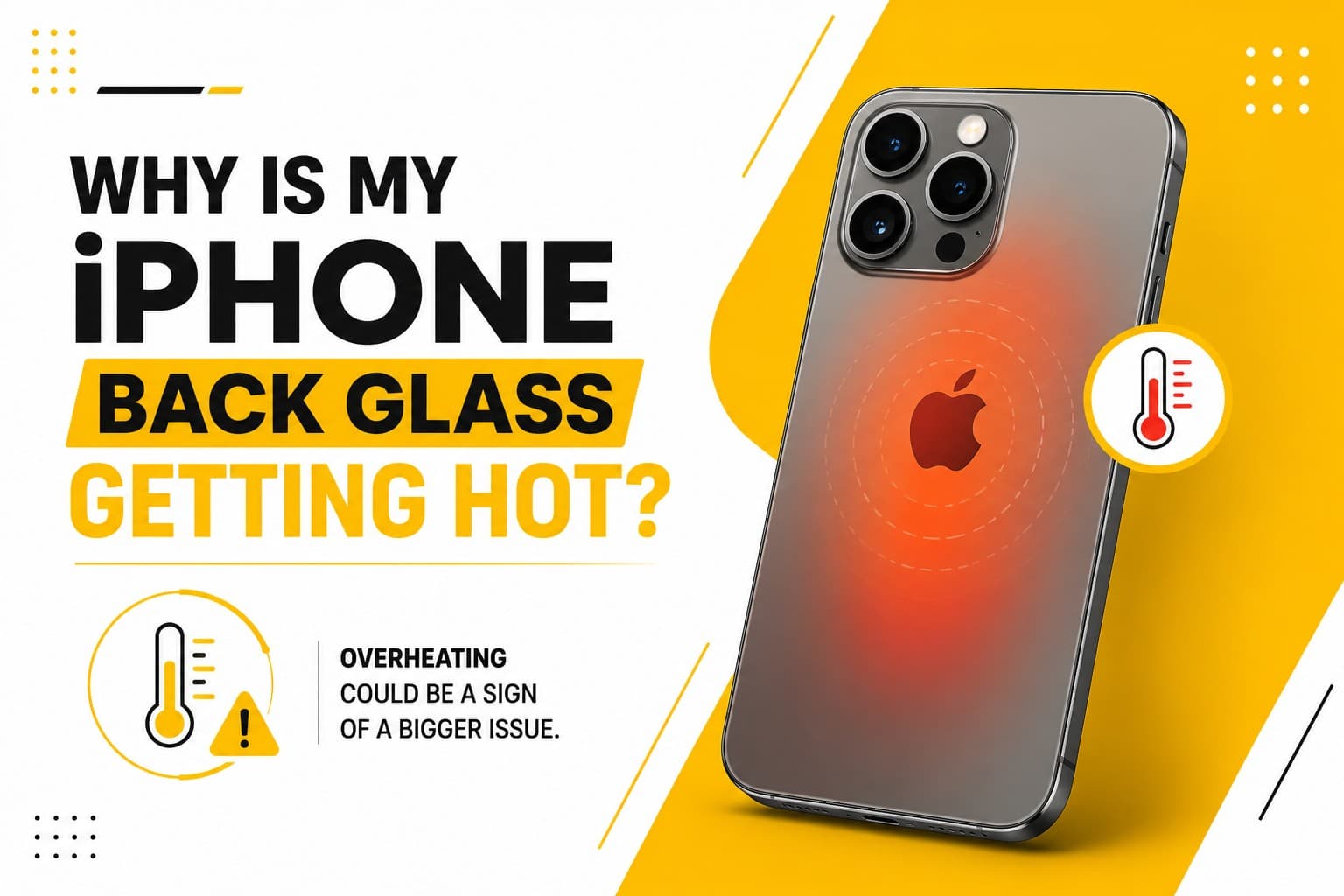
Why Is the Back of My iPhone Hot? (Bench Technician Answer)
The back of an iPhone (iPhone 18, 17, 16, 15, 14, or earlier) gets hot right beside or below the rear camera module because that is directly where the A-series logic board processor, PMIC power management chip, and 5G modem sit. Brief warmth during iOS updates, iCloud photo indexing, MagSafe wireless charging, or 4K video is normal, whereas unprovoked heat while idle coupled with rapid battery drop indicates either a degraded high-resistance battery cell, a runaway background loop, or a partial short circuit on the logic board power rail (such as VDD_MAIN after a drop or moisture exposure).
Immediate safe steps: Remove thick cases while charging, force-restart the handset, check Settings > Battery for rogue background activity, and NEVER place a hot iPhone in a fridge or freezer (condensation causes internal corrosion). If the rear housing stays hot when idle, walk into Phone Repair Centre St Marys Flagship Lab (122 Queen St, St Marys NSW 2760) or Schofields Kiosk 1 (7 days) for thermal-camera current testing.
A warm phone isn't always a sign of impending doom. If you've been working your way through a graphics-heavy game, shooting 4K video under the afternoon sun, or streaming navigation for hours on a hot dashboard, the back glass should feel warm. That’s just the metal and glass doing their job to sink heat away from the processor.
However, if your iPhone starts scorching your palm while sitting idle, or heats up while you’re simply scrolling through a text thread, that's a different story.
Common culprits include:
- A degraded battery struggling to hold or deliver charge efficiently
- A rogue background process or buggy app loop cooking the CPU out of sight
- Mismatched chargers or damaged lightning/USB-C cables
- Restricted airflow (thick, rubbery cases can trap heat like a down jacket)
- Undetected motherboard damage from a previous drop or moisture exposure
When the back panel gets uncomfortably hot, give the phone a breather. Close power-hungry apps, pull off the protective case, and let it cool down in a shaded spot. Whatever you do, skip the internet "hack" of throwing a hot phone into the fridge or freezer—the sudden temperature shift creates condensation inside the sealed housing, which instantly ruins delicate electronics.
If the heat returns continuously—especially if it's paired with a battery gauge that drops like a stone or a phone that suddenly shuts down—the hardware is telling you something. At PRC Repair, we run precise diagnostic checks to pinpoint whether you’re dealing with a tired battery, a short circuit, or a background software lockup, getting the issue sorted safely before it degrades the rest of your device.
Why does my iPhone lose network signal suddenly?
You’re mid-conversation or trying to load directions, and suddenly the signal bars collapse into "No Service." It’s infuriating, mostly because it always seems to happen right when you need a connection most.
While cell towers do drop off line occasionally, an iPhone that repeatedly loses service while everyone around you stays connected is usually pointing to an internal hiccup.
Typical causes behind sudden signal drops:
- Temporary carrier outages or localized tower hand-off glitches
- A physically degraded SIM card or corrupted eSIM profile
- Outdated network settings stored in iOS
- Internal antenna flex cables shaken loose by a drop
- Micro-cracks in the baseband chip or motherboard after impact
Before assuming the worst, check if others on your network are having the same issue. A quick flip into Airplane Mode and back—or a basic restart—often forces the modem to re-establish a fresh handshake with nearby towers. It’s also worth checking for a pending operator settings update in your settings menu.
When signal loss becomes a daily routine in places you know usually have strong coverage, internal components are often the culprit. PRC Repair’s technicians can inspect your iPhone's internal antenna arrays and baseband circuitry to locate hardware faults and restore a reliable link to the outside world.
Why is my iPhone vibrating but making no sound?
It’s an easy bug to miss until you look down and realize you’ve got five missed calls from your boss. You feel the familiar buzz against your leg, but the ringtone never actually plays.
Usually, this comes down to a misplaced setting, but it can also signal a failing speaker module. Run through these basic checks first:
- Flip the physical mute switch on the side (if your model has one) and look for the orange indicator line.
- Double-check your Focus or Do Not Disturb settings—it's easy to accidentally leave a profile turned on.
- Make sure your audio isn’t secretly streaming to a pair of Bluetooth earbuds sitting in a jacket pocket across the room.
- Play a standard YouTube video or ringtone to isolate whether the main loud speaker is operating at all.
- Gently inspect the bottom speaker grilles for built-in pocket lint or grime blocking the sound waves.
If you hear clear sound through headphones or Bluetooth speakers, but the main bottom speaker stays dead quiet no matter what you play, the speaker hardware itself—or the flex connector feeding it power—might have given out.
From clearing deep-seated grime to micro-soldering audio IC repairs, PRC Repair can quickly figure out whether your silent phone just needs a settings tweak or a fresh speaker module.
Why does my iPhone flashlight stop working?
The iPhone flashlight is one of those subtle conveniences you take for granted until you’re trying to unlock a front door in the dark and the icon grays out or simply refuses to turn on.
Because the LED flash is physically tied to the rear camera housing and governed by system thermal controls, flashlight issues often link back to camera hardware or phone temperature.
A few things to check right away:
- Force-close the Camera app—if the camera is suspended in a background state, it can lock out the LED.
- Give the phone a quick restart to clear out camera system bugs.
- Check if the phone feels unusually warm. iOS automatically disables the high-powered LED flash to protect internal components when temperatures spike.
- Test the main rear camera. If the camera app shows a black screen, the flash won't work either.
If the flashlight toggle stays unresponsive after the phone cools down and restarts, a physical shock from a drop may have damaged the flash module or fractured its delicate connection cable.
Because the camera and flash share pathways on the logic board, fixing flashlight issues often means looking at the camera assembly as a whole. PRC Repair carries out precise camera module diagnostics to replace damaged light components without touching parts that still work fine.
Get iPhone Camera & Flash Repair
Why is my iPhone wireless charging not working?
You set your iPhone down on your nightstand charger, see the screen wake up, and go to sleep—only to wake up to a dead battery because it stopped charging five minutes later.
Wireless charging (whether standard Qi or MagSafe) relies on precise magnetic alignment between the coil inside your phone and the coil in the pad. When that bond breaks, energy transfer stops cold.
Common reasons wireless charging fails:
- Alignment slippage (especially on flat, non-magnetic pads)
- Thick, metal-ringed, or overly ruggedized cases blocking the inductive field
- Magnetic accessories, credit cards, or pop-sockets sitting between the glass and the charger
- A faulty or underpowered wall adapter feeding the charging pad
- Internal damage to the copper receiving coil behind the back glass
- A thermal cutoff triggered by excess heat during the charge cycle
Try peeling off your phone case and placing the bare iPhone directly onto the center of the charger. If wired charging over a cable works normally but inductive charging fails every time regardless of the pad you use, the internal wireless charging coil or its board-level connections need attention.
At PRC Repair, we can inspect the internal charging coil assembly and power management chips to get your phone pairing smoothly with wireless docks again.
Why is my iPhone power button not working?
We press the power (or side) button dozens of times a day to lock screens, confirm payments, and summon Siri. When it stops clicking, feels mushy, or stops responding entirely, basic phone interactions suddenly become a hassle.
Physical buttons take a lot of mechanical abuse over a phone's lifespan. Common failure modes include:
- Grit, pocket lint, or dried liquid creeping around the edges of the button mechanism
- Physical wear on the tiny internal contact dome behind the key cap
- Bent housing frames from drops that pinch the button in place
- Torn or degraded flex cables inside the chassis
If your button feels stuck or completely soft, avoid digging at it with pins or pushing down with excessive force—you risk puncturing the underlying ribbon cable or damaging the metal enclosure beyond repair.
As a temporary fix, you can turn on AssistiveTouch in your Accessibility settings (Settings > Accessibility > Touch > AssistiveTouch) to place a soft-button on your screen that lets you lock and restart the device. For a permanent fix, PRC Repair can disassemble the housing, clean out debris, and replace worn flex cables to restore that crisp, satisfying click.
Get iPhone Power Button Repair
Why Choose PRC Repair for iPhone Repair?
Smartphones rarely break all at once. Usually, it starts with a small quirk—a button you have to press twice, a battery that runs warm, or a speaker that sounds a bit tinny. Left alone, those minor annoyances can turn into bigger, costlier hardware headaches.
Guesswork often leads to replacing parts that weren't broken to begin with. Getting a clear, accurate diagnosis first saves you time, stress, and unnecessary expense.
PRC Repair handles the full spectrum of iPhone hardware work, including:
- Precision battery health replacements
- Original-quality screen restorations
- Charging port repairs and lint extraction
- Speaker and microphone replacements
- Camera lens and sensor repair
- Power and volume button mechanism fixes
- Network and Wi-Fi antenna diagnostics
- Liquid damage assessment and cleanup
- Advanced logic board micro-soldering
Whether your iPhone is running dangerously hot, dropping calls out of nowhere, staying silent, or refusing to take a charge, you don't automatically need a brand-new $1,500 phone. Bring it to PRC Repair across Australia to find out what’s actually going on inside—and get your device working like it should again.
Get Professional iPhone Repair
Express Phone Repair & Protective Accessories Near Me: Western Sydney & North West Sydney
Looking for fast, walk-in phone repairs or durable device protection near Sydney & Surrounding Suburbs? Phone Repair Centre operates two dedicated Sydney locations: our flagship diagnostic laboratory at 122 Queen Street, St Marys, and our express kiosk at Schofields Village. We combine 30-minute hardware fixes with complimentary bubble-free screen protector application and premium mobile accessories in stock every day.
Express Walk-in Repairs (30 to 45 Mins)
- Screen & OLED Replacement: iPhone, Samsung Galaxy, Google Pixel, and iPad display renewals with True Tone preservation.
- Battery Renewal: High-capacity replacement cells installed same-day with store warranty.
- Charging Port & Audio Fixes: USB-C and Lightning port cleaning, debris removal, or micro-soldering replacement.
- Laser Back Glass Repair: Clean rear glass replacement with factory-tight seal alignment.
- Strict Zero Data Loss: Your photos, banking apps, and personal data stay untouched throughout the repair.
In-Store Protection & Accessories
- Free Screen Protector Fitting: 9H tempered glass, anti-peeping privacy protectors, and hydrogel films applied bubble-free by our technicians.
- Drop-Proof & MagSafe Cases: Shock-absorbent military-grade covers, crystal-clear cases, and magnetic wallet folios for all popular models.
- High-Speed Power & Cables: 20W to 65W Power Delivery (PD) wall adapters, braided USB-C and Lightning cables, and magnetic wireless car mounts.
- Camera Lens Armor: Scratch-resistant sapphire glass lens protectors for multi-lens camera systems.
- Instant PayID Phone Buyback Desk (St Marys): 10-minute Osko PayID bank payout or +$50 AUD PRC Store Credit for unlocked or cracked phones if you prefer to sell or trade in rather than repair.
Drive Times & Proximity Catchment
St Marys Workshop (Western Sydney Hub):
• Penrith: 10 mins via Great Western Highway
• Mount Druitt: 6 mins via Carlisle Avenue
• Blacktown: 15 mins via M4 or Great Western Highway
• St Clair & Erskine Park: 7 mins via Bennett Road
Schofields Express (North West Sydney Hub):
• Rouse Hill & The Ponds: 6 to 8 mins via Schofields Road
• Tallawong & Box Hill: 5 to 9 mins via Boundary Road
• Marsden Park: 8 mins via Richmond Road
• Kellyville & Stanhope Gardens: 10 mins
Quick Answer: Where can I find phone repair, starting-from prices, and exact part tier quotes in Sydney & Surrounding Suburbs?
Phone Repair Centre offers same-day walk-in repairs at 122 Queen Street, St Marys (standalone street-front shop on Queen Street, phone (02) 8678 3298) and express repairs 7 days a week at Schofields Village (Kiosk 1/227 Railway Terrace, phone (02) 7238 1732). Screen repairs start from $85 AUD (iPhone) and $119 AUD (Samsung/iPad), batteries from $79 AUD, PS5 HDMI micro-soldering $169 AUD, and diagnostics $88 upfront (credited if proceeding). Because we stock Tested Quality Aftermarket / Incell, Premium Soft OLED, and OEM / Refurbished display options on our website, chat with Sam 24/7 via Website Live Chat (/instant-quote), WhatsApp (+1 555-955-6234), Facebook Messenger, or Instagram Direct for your exact tier-by-tier quote.


