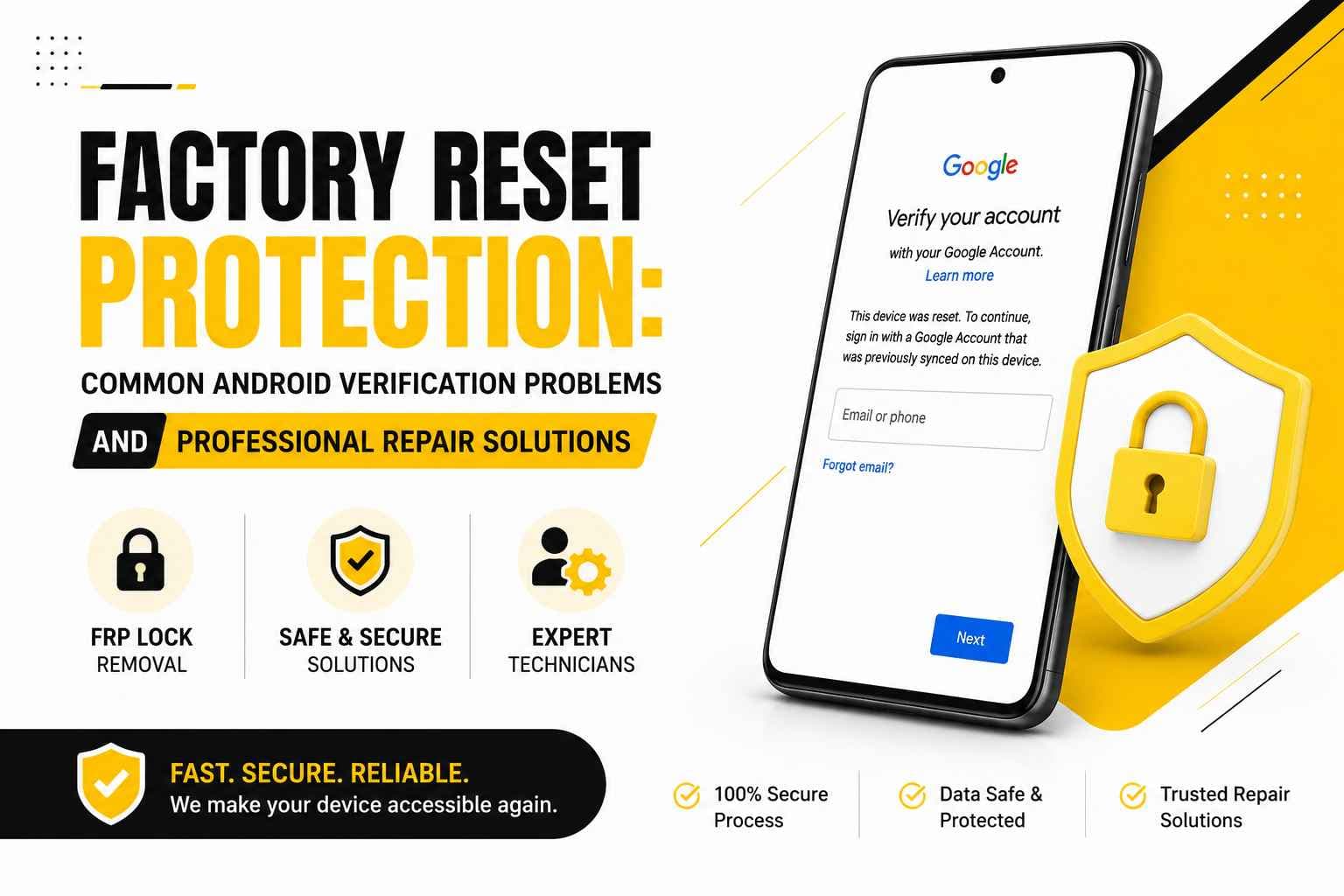
Factory resetting an Android phone feels like hitting a clean slate—a quick way to clear out clutter, fix software bugs, or prep a device for a new owner. But instead of reaching the familiar home screen, you're greeted by a stubborn Google verification page demanding an account you can't seem to access.
This brick wall is Factory Reset Protection (FRP)—a built-in Android security barrier designed to render a stolen or forcibly reset phone useless to unauthorized users.
While FRP does a great job deterring theft, it frequently catches legitimate owners in the crossfire. Forgotten login details, recent password updates, or buying a second-hand device without clearing the previous owner's profile can lock you out completely. PRC Repair offers professional phone diagnostics and FRP guidance, helping genuine owners navigate account-verification deadlocks and complex Android hardware or software faults.
Why Does My Android Phone Reject the Correct Google Account After a Reset?
Few tech glitches are as maddening as typing in what you know is your correct Google username and password, only to watch the phone reject it instantly.
That frustrating loop usually traces back to one of a few subtle details:
- The phone was synced to a forgotten secondary Google profile instead of your primary one.
- A tiny typo crept into the email address during initial setup months or years ago.
- You changed your Google password recently, triggering an automatic security cooldown.
- The device is still linked to a previous owner's account.
Before assuming the phone's internal memory is corrupted, run through a quick sanity check:
- Double-check that this specific Google account was synced to this exact phone.
- Look closely at every character of the email address.
- Log into the account on a separate computer or browser to verify your password works.
- Double-check that you haven't switched between multiple personal or work Gmail accounts.
A factory reset doesn't automatically sever the security tie between a phone and its registered owner. That's by design. But if you genuinely own the device and still can't clear verification, PRC Repair can run diagnostic checks to uncover why the authentication process is stalling.
Why Is My Phone Stuck on “Verify Your Account” After a Factory Reset?
When your setup screen freezes at "Verify your account," your Android OS has officially triggered its Factory Reset Protection security process.
The phone is essentially stopping everything to ask for proof that the person holding it is authorised to use the device. This prompt can appear when a phone is wiped while a Google account is still associated with it. Rather than allowing a factory reset to remove the security protection, Android requires account verification.
If you're stuck on this screen:
- Use Google's account recovery tools on a computer to regain access to your primary email and password.
- Make sure you're using the Google account previously associated with the phone.
- Resist entering random password guesses repeatedly, as this can trigger additional account-security restrictions.
When standard recovery options leave you stranded despite legitimate ownership, professional diagnostic help can clarify what's happening. PRC Repair assesses FRP locks and device states to determine the most appropriate solution for your phone.
How Can I Check if a Second-Hand Android Phone Has an FRP Lock?
Picking up a pre-owned Android phone can save serious money, but inheriting a device still tied to someone else's security profile can leave you with an expensive paperweight.
To protect yourself when buying second-hand, insist on running through this setup checklist with the seller before money changes hands:
- Have the seller unlock the device in front of you using their PIN or pattern.
- Open the phone's account settings and remove their Google and manufacturer accounts.
- Perform a clean factory reset directly through the phone's settings.
- Let the device finish rebooting until it reaches the initial welcome screen.
- Work through the initial setup steps to verify it reaches the home screen without requesting previous credentials.
If the setup wizard immediately demands a previous account, the phone may still be protected by FRP. If you've already bought a pre-owned device and hit this wall, PRC Repair provides professional evaluation and support for Android hardware, subject to verified proof of legitimate ownership.
Does Changing My Google Password Affect FRP Verification After a Reset?
Yes. Changing your Google password around the time you reset an Android phone can sometimes cause unexpected verification problems.
Google may apply additional security measures after account credentials are changed. If you update your password and reset the phone shortly afterwards, the device may not immediately accept the new credentials.
If you find yourself stuck during verification:
- Log into your Google account on a laptop or another device to confirm the new password works.
- Verify that you're signing into the exact email address previously linked to the phone.
- Complete any two-factor authentication or account-security prompts.
- Allow Google's security systems time to process recent account changes.
- Keep your recovery details and security information available.
FRP isn't simply checking whether you know a valid Google password—it is designed to verify that the device is being accessed by an authorised user. If legitimate access remains blocked, PRC Repair can evaluate the device to help determine whether the problem is related to account verification, software, or another device fault.
Why Does My Android Phone Keep Returning to the Google Verification Screen?
When an Android phone repeatedly returns to the Google verification screen after you submit your credentials, the authentication process may not be completing successfully.
Possible causes include:
- Using a secondary Google account that was not previously associated with the phone
- Active security checks or unconfirmed recovery prompts on the Google account
- An unstable Wi-Fi connection during the verification process
- Corrupted setup files following a reset
- Software or firmware problems
Start by connecting to a reliable Wi-Fi network and make sure your Google account details match the account previously associated with the device.
If the phone continues returning to the verification screen despite valid credentials and a stable connection, the underlying issue may require further diagnosis. PRC Repair offers Android diagnostic and software repair services to determine whether an FRP issue, system problem, or hardware fault is affecting the device.
Ownership verification is required for security-related services.
What Should I Do Before Factory Resetting an Android Phone to Avoid FRP Lock?
The easiest way to avoid an FRP-related problem is to prepare your phone before performing the factory reset.
If you're getting ready to sell, trade in, or gift your Android phone, work through these steps:
- Back Up Your Data: Save your photos, contacts, messages, and important files to cloud storage or a computer.
- Remove Your Google Account: Open your Android account settings, select your Google profile, and remove the account from the device.
- Remove Brand Accounts: Remove manufacturer-specific accounts where applicable.
- Confirm Your Login Information: Make sure you know the email address and password associated with the device.
- Reset via Settings: Whenever possible, perform the factory reset through the phone's normal settings.
- Test the Setup: After resetting, verify that the device reaches the initial setup screen without requesting your previous account.
Taking these precautions can make the transition much easier and reduce the likelihood of FRP-related problems for the next user.
Professional Phone Repair Services from PRC Repair
Factory Reset Protection plays an important role: it safeguards personal data and discourages unauthorised use of phones. But for genuine owners locked out by forgotten credentials or an uncleared second-hand purchase, it can feel like an impossible hurdle.
PRC Repair offers professional diagnostic and repair services for major Android devices. Whether you're dealing with Google verification problems, software loops, cracked screens, dead charging ports, motherboard faults, or liquid damage, experienced technicians can assess the device and recommend an appropriate repair solution.
Note: For all security and FRP-related services, customers must present valid proof of ownership.
Final Thoughts
A factory reset doesn't always mean a fresh start out of the box. When Factory Reset Protection is triggered, Android keeps the device protected until the authorised user completes the required verification.
Whether you're preparing a phone for sale, setting up a pre-owned device, or staring at a stubborn "Verify your account" screen, understanding how FRP works can save time, money, and unnecessary stress.
If standard Google account recovery tools leave you unable to access your own phone, PRC Repair provides professional diagnostic assistance and repair expertise to help determine the appropriate way forward for your device.
Express Phone Repair & Protective Accessories Near Me: Western Sydney & North West Sydney
Looking for fast, walk-in phone repairs or durable device protection near Sydney & Surrounding Suburbs? Phone Repair Centre operates two dedicated Sydney locations: our flagship diagnostic laboratory at 122 Queen Street, St Marys, and our express kiosk at Schofields Village. We combine 30-minute hardware fixes with complimentary bubble-free screen protector application and premium mobile accessories in stock every day.
Express Walk-in Repairs (30 to 45 Mins)
- Screen & OLED Replacement: iPhone, Samsung Galaxy, Google Pixel, and iPad display renewals with True Tone preservation.
- Battery Renewal: High-capacity replacement cells installed same-day with store warranty.
- Charging Port & Audio Fixes: USB-C and Lightning port cleaning, debris removal, or micro-soldering replacement.
- Laser Back Glass Repair: Clean rear glass replacement with factory-tight seal alignment.
- Strict Zero Data Loss: Your photos, banking apps, and personal data stay untouched throughout the repair.
In-Store Protection & Accessories
- Free Screen Protector Fitting: 9H tempered glass, anti-peeping privacy protectors, and hydrogel films applied bubble-free by our technicians.
- Drop-Proof & MagSafe Cases: Shock-absorbent military-grade covers, crystal-clear cases, and magnetic wallet folios for all popular models.
- High-Speed Power & Cables: 20W to 65W Power Delivery (PD) wall adapters, braided USB-C and Lightning cables, and magnetic wireless car mounts.
- Camera Lens Armor: Scratch-resistant sapphire glass lens protectors for multi-lens camera systems.
- Cash Buyback Desk (St Marys): Cash on the spot for unwanted, broken, or locked phones if you prefer to trade in rather than repair.
Drive Times & Proximity Catchment
St Marys Workshop (Western Sydney Hub):
• Penrith: 10 mins via Great Western Highway
• Mount Druitt: 6 mins via Carlisle Avenue
• Blacktown: 15 mins via M4 or Great Western Highway
• St Clair & Erskine Park: 7 mins via Bennett Road
Schofields Express (North West Sydney Hub):
• Rouse Hill & The Ponds: 6 to 8 mins via Schofields Road
• Tallawong & Box Hill: 5 to 9 mins via Boundary Road
• Marsden Park: 8 mins via Richmond Road
• Kellyville & Stanhope Gardens: 10 mins
Quick Answer: Where can I find phone repair and screen protectors near me in Sydney & Surrounding Suburbs?
Phone Repair Centre offers same-day walk-in repairs and professional bubble-free screen protector fitting across Sydney. Visit our flagship repair lab at 122 Queen Street, St Marys (near Penrith and Mount Druitt) or our express kiosk at Schofields Village (near Rouse Hill and The Ponds). Most repairs are completed in 30 to 45 minutes with zero data loss and store warranty included.