
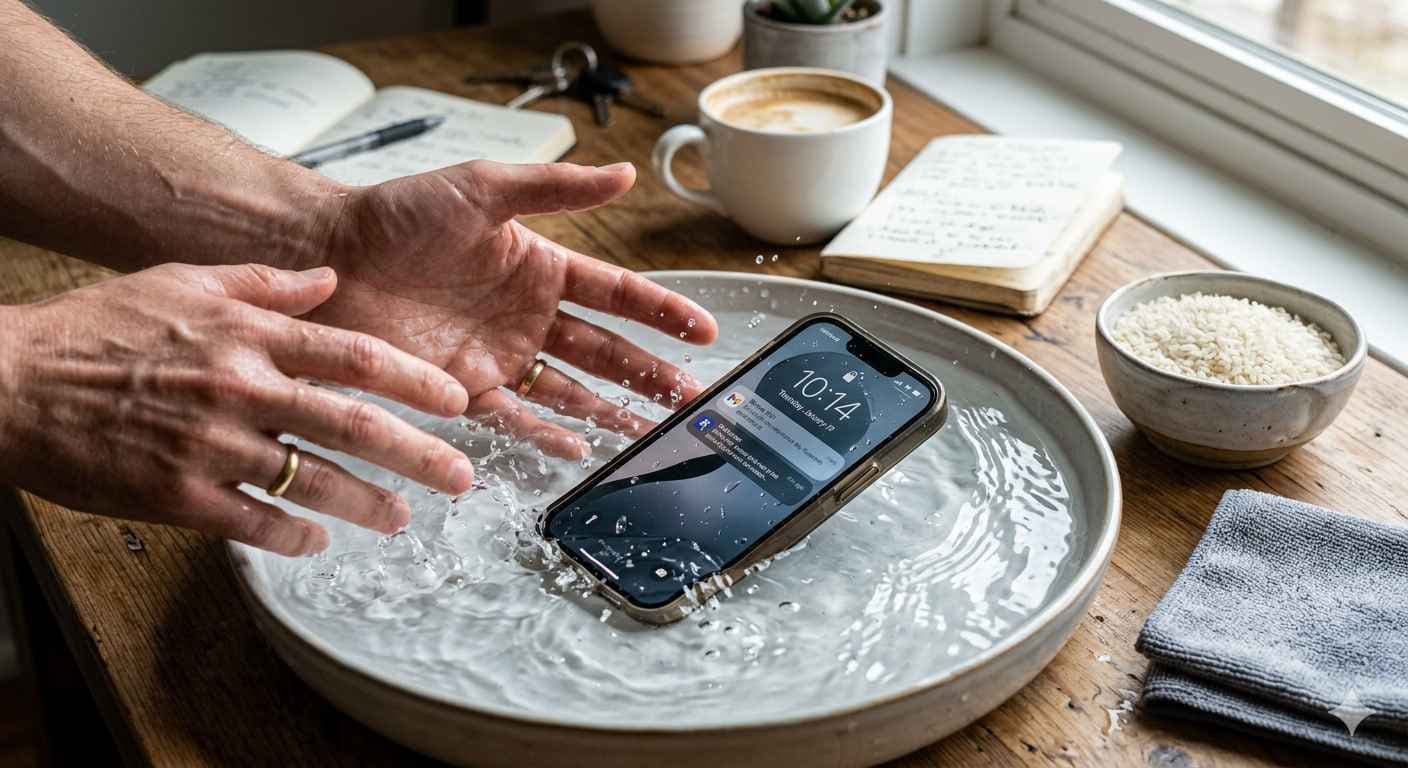
When your phone slips into water, panic sets in immediately. That splash followed by a second of silence feels like a disaster. What you do in the next few minutes determines if your phone survives.
Follow this guide to handle the situation with clear, practical steps.
What to do if phone falls in water?
Act fast. Take the phone out of the water right away. Turn it off immediately, even if the screen looks fine. Electricity and water cause short circuits, so keeping the power on is dangerous for the hardware.
Strip the phone of everything. Remove the case, the SIM card, and any memory cards. Dry the outside gently with a soft cloth. You might see droplets on the screen or feel moisture in the ports. Stay calm and follow these rules:
- Do not turn the phone on to "check" it.
- Do not shake the phone. This pushes water deeper into the internal parts.
- Keep it in a dry area with good airflow.
- Get professional help as soon as you can.
Can a water damaged phone be repaired?
Yes, technicians can often fix water damage, but you must act quickly. Corrosion starts within hours. The longer moisture stays inside your Android or iPhone, the worse the damage becomes.
Even "water-resistant" phones are not fully waterproof. They have seals that can fail over time. PRC Repair uses specialized tools and cleaning techniques to stop corrosion and save your device. They offer some of the most reliable water damage solutions in Australia.
How long does water damage repair take?
The repair time depends on how deep the water went. If you bring the phone in early, a technician might finish the cleaning and minor repairs the same day. If the water hit multiple parts, it takes longer to inspect and replace the hardware.
- Get a checkup immediately.
- Do not wait, even if the phone seems to work. Hidden moisture causes problems later.
- Ask for a full diagnostic to find invisible damage.
PRC Repair focuses on fast, precise work for both Android and iPhone users across Australia.
Is rice method really effective for wet phones?
The rice method is a myth. While rice might soak up a little water on the surface, it cannot pull moisture out from deep inside the phone. Even worse, tiny grains of rice or dust can get stuck in your charging port and cause more trouble.
- Use silica gel packs if you have them. They work better than rice.
- Focus on airflow rather than sealing the phone in a container.
- Choose professional cleaning over home remedies.
Waiting for rice to work only gives corrosion more time to destroy your phone.
Signs of water damage in smartphone
Water damage often shows up slowly. Your phone might seem fine at first, but then you notice small problems that get worse.
Watch for:
- Flickering colors or dark spots on the screen.
- Muffled or distorted sound from the speakers.
- Problems with charging or connecting to a computer.
- The phone feeling hot for no reason.
- Buttons or the touchscreen not responding correctly.
If your phone feels "off" after getting wet, back up your data immediately. A professional inspection will ensure that hidden damage does not ruin the device later.
How to fix charging port issues?
Water exposure often kills the charging port first. You might find that your phone only charges at a certain angle or stops charging entirely. Sometimes this is just debris, but often it is corrosion from the water.
- Look for dust or lint and clean it out gently.
- Test a different cable and wall plug.
- Never stick sharp metal objects into the port.
- Do not plug your phone in if you think it is still wet inside.
If these steps do not help, you need a professional. PRC Repair provides reliable charging port fixes for Android and iPhone devices throughout Australia.
Final thought
A phone falling in water is a common accident. Usually, the delay in getting help causes more damage than the water itself. If you act fast and choose a reliable service like PRC Repair, you can save your phone and avoid the high cost of buying a new one.
Express Phone Repair & Protective Accessories Near Me: Western Sydney & North West Sydney
Looking for fast, walk-in phone repairs or durable device protection near Sydney & Surrounding Suburbs? Phone Repair Centre operates two dedicated Sydney locations: our flagship diagnostic laboratory at 122 Queen Street, St Marys, and our express kiosk at Schofields Village. We combine 30-minute hardware fixes with complimentary bubble-free screen protector application and premium mobile accessories in stock every day.
Express Walk-in Repairs (30 to 45 Mins)
- Screen & OLED Replacement: iPhone, Samsung Galaxy, Google Pixel, and iPad display renewals with True Tone preservation.
- Battery Renewal: High-capacity replacement cells installed same-day with store warranty.
- Charging Port & Audio Fixes: USB-C and Lightning port cleaning, debris removal, or micro-soldering replacement.
- Laser Back Glass Repair: Clean rear glass replacement with factory-tight seal alignment.
- Strict Zero Data Loss: Your photos, banking apps, and personal data stay untouched throughout the repair.
In-Store Protection & Accessories
- Free Screen Protector Fitting: 9H tempered glass, anti-peeping privacy protectors, and hydrogel films applied bubble-free by our technicians.
- Drop-Proof & MagSafe Cases: Shock-absorbent military-grade covers, crystal-clear cases, and magnetic wallet folios for all popular models.
- High-Speed Power & Cables: 20W to 65W Power Delivery (PD) wall adapters, braided USB-C and Lightning cables, and magnetic wireless car mounts.
- Camera Lens Armor: Scratch-resistant sapphire glass lens protectors for multi-lens camera systems.
- Cash Buyback Desk (St Marys): Cash on the spot for unwanted, broken, or locked phones if you prefer to trade in rather than repair.
Drive Times & Proximity Catchment
St Marys Workshop (Western Sydney Hub):
• Penrith: 10 mins via Great Western Highway
• Mount Druitt: 6 mins via Carlisle Avenue
• Blacktown: 15 mins via M4 or Great Western Highway
• St Clair & Erskine Park: 7 mins via Bennett Road
Schofields Express (North West Sydney Hub):
• Rouse Hill & The Ponds: 6 to 8 mins via Schofields Road
• Tallawong & Box Hill: 5 to 9 mins via Boundary Road
• Marsden Park: 8 mins via Richmond Road
• Kellyville & Stanhope Gardens: 10 mins
Quick Answer: Where can I find phone repair and screen protectors near me in Sydney & Surrounding Suburbs?
Phone Repair Centre offers same-day walk-in repairs and professional bubble-free screen protector fitting across Sydney. Visit our flagship repair lab at 122 Queen Street, St Marys (near Penrith and Mount Druitt) or our express kiosk at Schofields Village (near Rouse Hill and The Ponds). Most repairs are completed in 30 to 45 minutes with zero data loss and store warranty included.